USE CASES
Our Process
Use Case
Customer Care
Campaign Registration
Daymertest2 sends SMS messages to individuals who have expressed interest in behavioral health and recovery support services. Messages are used to provide follow-ups related to recovery program inquiries, reminders, application updates, and supportive resources related to ongoing behavioral health communication previously initiated via email, phone, or web forms.
Message Examples:
- Daymertest2: You began your sunrise recovery application recently. Would you like help completing the process? We're here to support you. Reply STOP to opt out or HELP for options.
- Daymertest2: We wanted to follow up regarding your interest in recovery support services. If you have questions or would like assistance, we're here to help. Reply STOP to opt out or HELP for options.
- Daymertest2: Just checking in about your recovery program inquiry. Our team is available if you need guidance or updates. Reply STOP to opt out or HELP for options.
Opt-In Process
End users can opt in to receive SMS messages through the following compliant methods:
1. Phone / CRM Entry (Verbal Consent)
During an intake or call with a representative, the user may provide verbal consent to receive SMS messages. Reps are required to clearly state:
"By providing your number, you agree to receive SMS updates from Daymertest2. Msg & data rates may apply. Consent is not a condition of purchase."
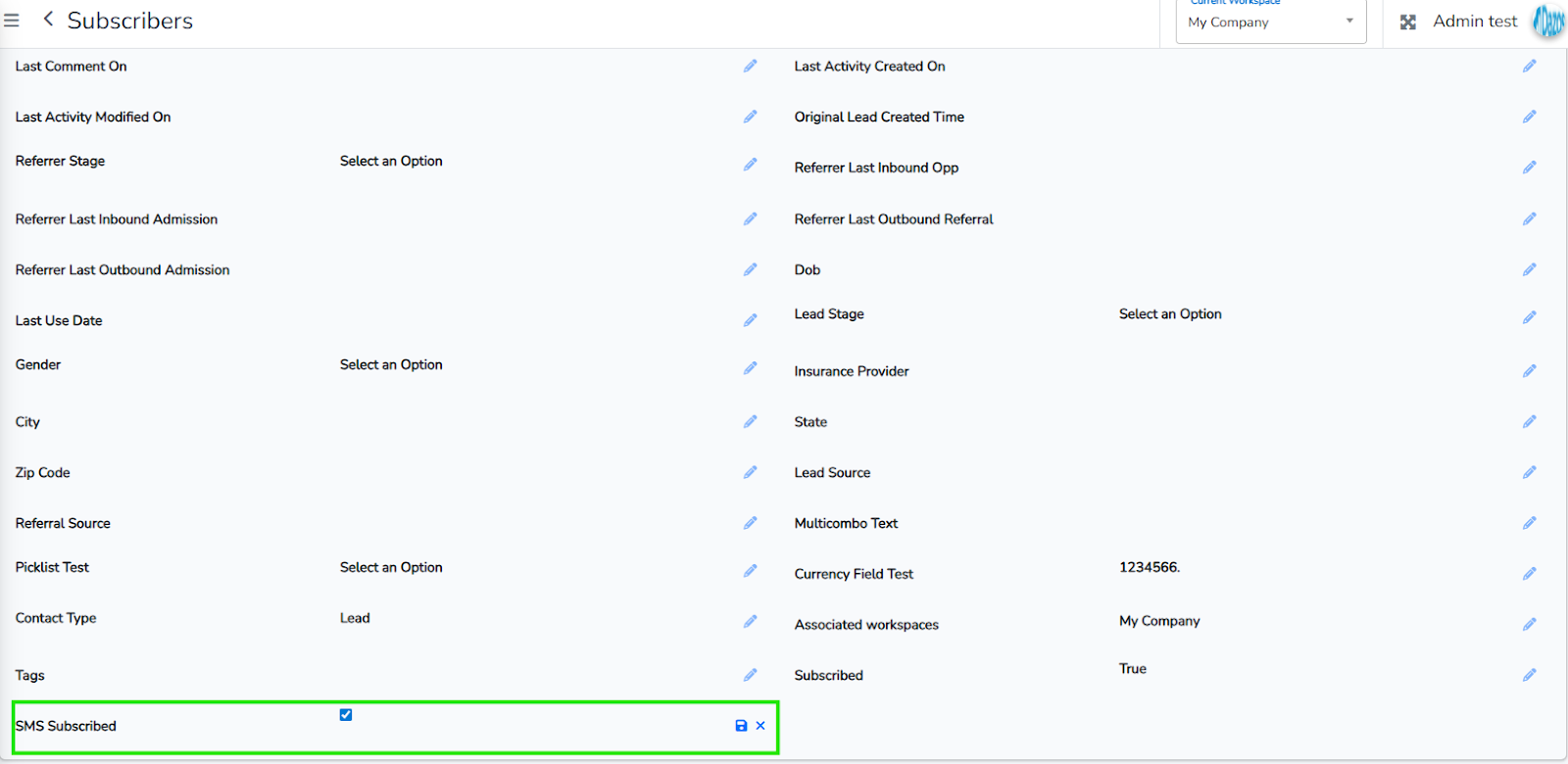
The rep must record this consent in the CRM.
2. Email Link or Web Form
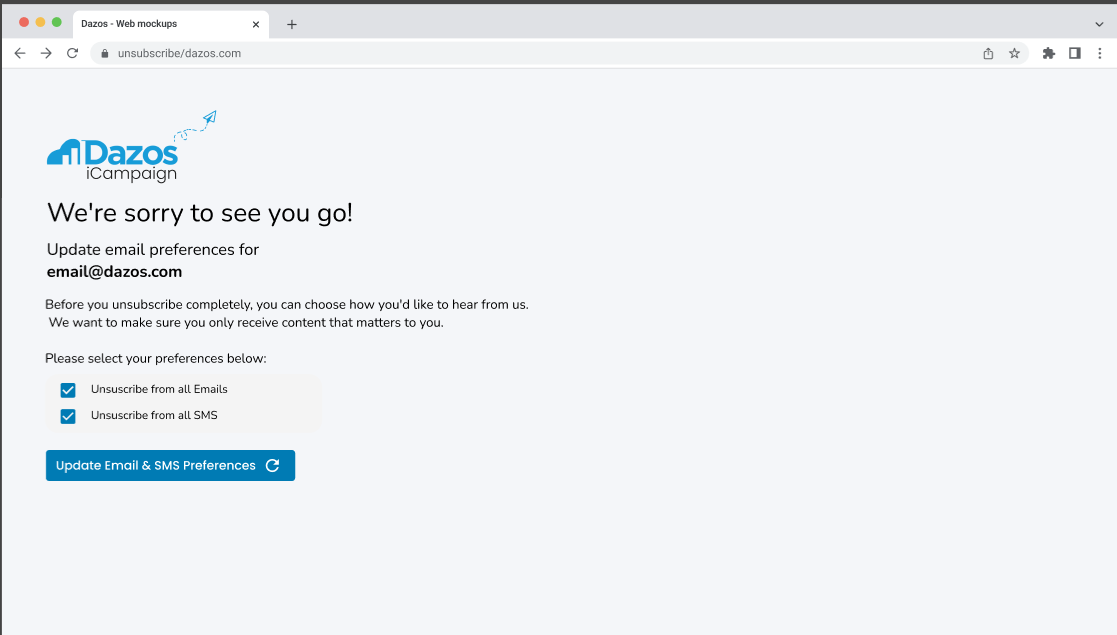
Users can opt in by clicking a link that leads to a web form or email preference center, where they check a box indicating they agree to receive SMS messages. The form includes this disclosure:
"By checking this box, you agree to receive SMS updates from [Your Company]. Msg & data rates may apply. Consent is not a condition of purchase."
3. Keyword-Based Opt-In (START)
Users may initiate opt-in by texting START to our designated phone numbers. Upon receipt of this keyword, our system records their consent and sends a confirmation message:
"You've subscribed to SMS updates from Daymertest2. Reply STOP to opt out or HELP for options."
Opt-Out Process
Users may opt out at any time using any of the following methods:
1. Keyword-Based Opt-Out
Users can text STOP, UNSUBSCRIBE, CANCEL, or QUIT to any of our sending numbers. Our system automatically processes the request and confirms via SMS:
"You've been unsubscribed from Daymertest2 SMS updates. No more messages will be sent. Reply START to resubscribe."
2. CRM Update (Manual Opt-Out)
A support rep may mark a subscriber as opted out if the user verbally requests to stop receiving messages. This must be documented in the CRM, and no further SMS should be sent.
3. Email Preferences / Web Form
Users may manage their SMS preferences through the same email or web form used for opt-in. Unchecking the SMS subscription box is treated as a request to opt out. We use a Campaign system where the Unsubscribe action will be part of every email. Each SMS will be part of a Campaign Email message.
Evidence
All opt-in and opt-out events are logged in the CRM with a timestamp, method, and the identity of the user or representative who recorded the action. This evidence is retained for compliance and audit purposes.